

Mobile app
Mobile app
Garage Service
Management App
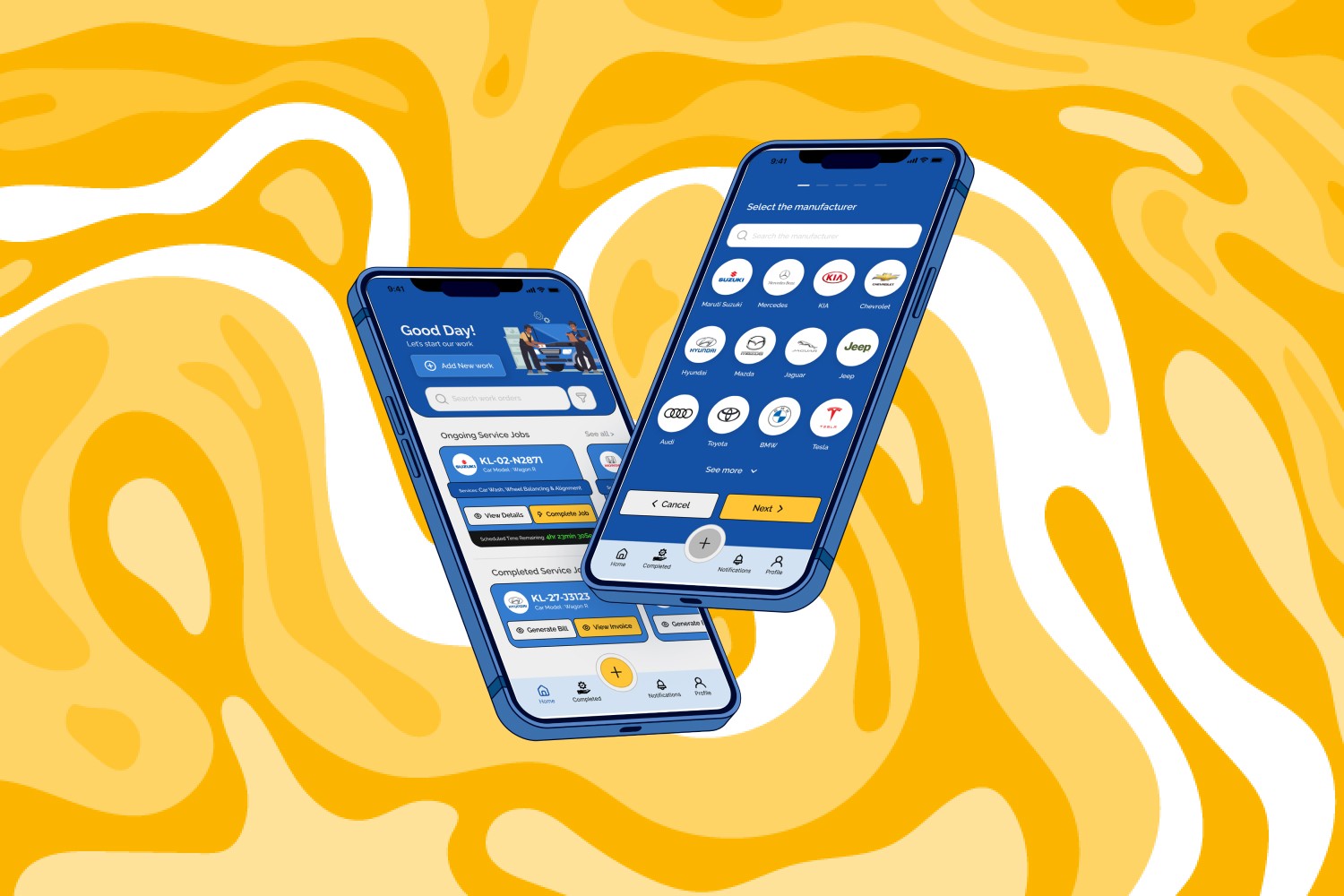
Role - UI/UX Designer
Role - UI/UX Designer
Tools - Figma, Illustrator, Notion
Tools - Figma, Illustrator, Notion
Duration - 01.2023 - 03.2023
Overview
About Project
About Project
The Garage Service Management Application is a user-friendly digital platform for Service Managers to streamline customer interactions, service tasks, and invoicing. Easily manage customer details, assign tasks, and communicate in real-time. Simplifies invoice generation for efficient service center operations and enhanced customer satisfaction.
The Garage Service Management Application is a user-friendly digital platform for Service Managers to streamline customer interactions, service tasks, and invoicing. Easily manage customer details, assign tasks, and communicate in real-time. Simplifies invoice generation for efficient service center operations and enhanced customer satisfaction.
The Problem
The Problem
The current car service center relies on manual, handwritten records for documenting service-related information. This labor-intensive process not only consumes valuable time but also introduces the risk of errors, impacting the accuracy of service records.
The current car service center relies on manual, handwritten records for documenting service-related information. This labor-intensive process not only consumes valuable time but also introduces the risk of errors, impacting the accuracy of service records.
The Goal
The Goal
Introducing a comprehensive digital service management app that automates the documentation process and provides a centralized platform for managing service-related information.
Introducing a comprehensive digital service management app that automates the documentation process and provides a centralized platform for managing service-related information.
My Responsibilities
My Responsibilities
My Responsibilities
Visual Design - User Research - User Persona - User Journey Map -
Information Architecture - Wire framing - Prototyping - Usability Testing
Visual Design - User Research - User Persona - User Journey Map -
Information Architecture - Wire framing - Prototyping - Usability Testing
Visual Design - User Research - User Persona - User Journey Map -
Information Architecture - Wire framing - Prototyping - Usability Testing
Design Process

Research
Talk to Real Users
Surveys & Questionnaire
Define User Goals & Challenges
Identify User Issue
User Opinions, Thoughts & Reactions
Empathise
User Personas
User Testing
User Journey & Experience Map
Define
Ideate
Storyboards
Wireframes
Flowcharts
Low-Fidelity Designs
Create
Moodboards
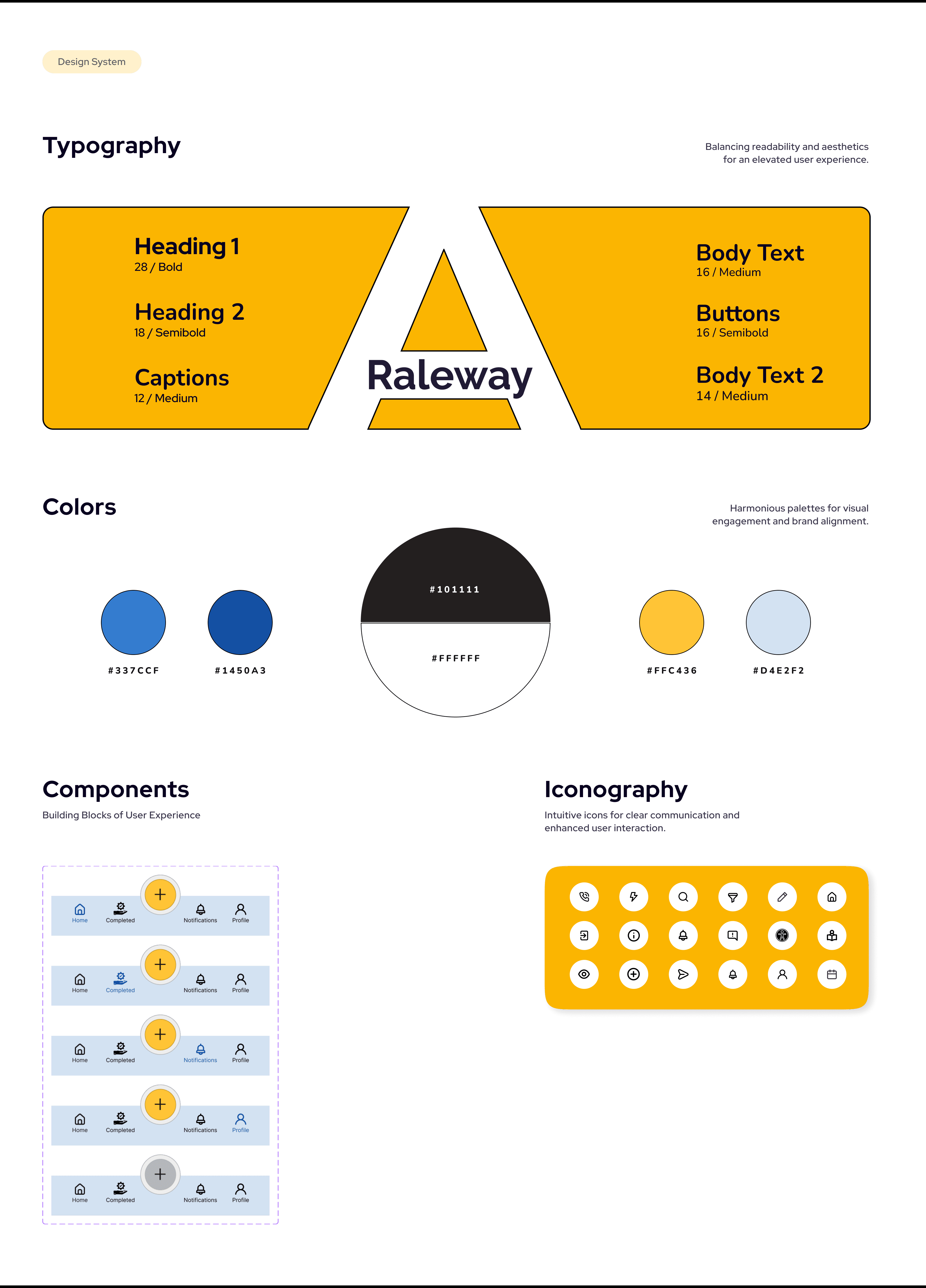
Design System & Gudelines
High-Fidelity Designs
Prototypes
Motion and Interaction
Test
Usability Testing
Accessibility Testing
Review Feedback
Validate Iterations
Design Process

Research
Talk to Real Users
Surveys & Questionnaire
Define User Goals & Challenges
Identify User Issue
User Opinions, Thoughts & Reactions
Empathise
User Personas
User Testing
User Journey & Experience Map
Define
Ideate
Storyboards
Wireframes
Flowcharts
Low-Fidelity Designs
Create
Moodboards
Design System & Gudelines
High-Fidelity Designs
Prototypes
Motion and Interaction
Test
Usability Testing
Accessibility Testing
Review Feedback
Validate Iterations
Design Process

Research
Talk to Real Users
Surveys & Questionnaire
Define User Goals & Challenges
Identify User Issue
User Opinions, Thoughts & Reactions
Empathise
User Personas
User Testing
User Journey & Experience Map
Define
Ideate
Storyboards
Wireframes
Flowcharts
Low-Fidelity Designs
Create
Moodboards
Design System & Gudelines
High-Fidelity Designs
Prototypes
Motion and Interaction
Test
Usability Testing
Accessibility Testing
Review Feedback
Validate Iterations
Understanding Users
Understanding Users
User Research
User Research
The user research for the Automotive Service Management App aims to gain deep insights into the workflow, preferences, and pain points of Service Managers in automotive service centers. Through interviews and observations, we aim to identify pain points and preferences to inform the development of a more efficient and user-friendly Automotive Service Management App.
The user research for the Automotive Service Management App aims to gain deep insights into the workflow, preferences, and pain points of Service Managers in automotive service centers. Through interviews and observations, we aim to identify pain points and preferences to inform the development of a more efficient and user-friendly Automotive Service Management App.
Pain Points
Manual Data Entry
Manual processes are time-consuming and error-prone, risking inaccuracies in service records.
1
Limited Accessibility
Managers/advisors may struggle to access vital data efficiently, especially when away from the service center.
2
Inefficient Workflow
Managers/advisors may struggle to quickly access essential data when not at the service center.
3
Data Duplication
Redundancy can cause confusion, waste time, and increase errors in the service process.
4
Pain Points
Pain Points
Manual Data Entry
Manual processes are time-consuming and error-prone, risking inaccuracies in service records.
1
Limited Acessibility
Managers/advisors may struggle to access vital data efficiently, especially when away from the service center.
2
Inefficient Workflow
Managers/advisors may struggle to quickly access essential data when not at the service center.
3
Data Duplication
Redundancy can cause confusion, waste time, and increase errors in the service process.
4
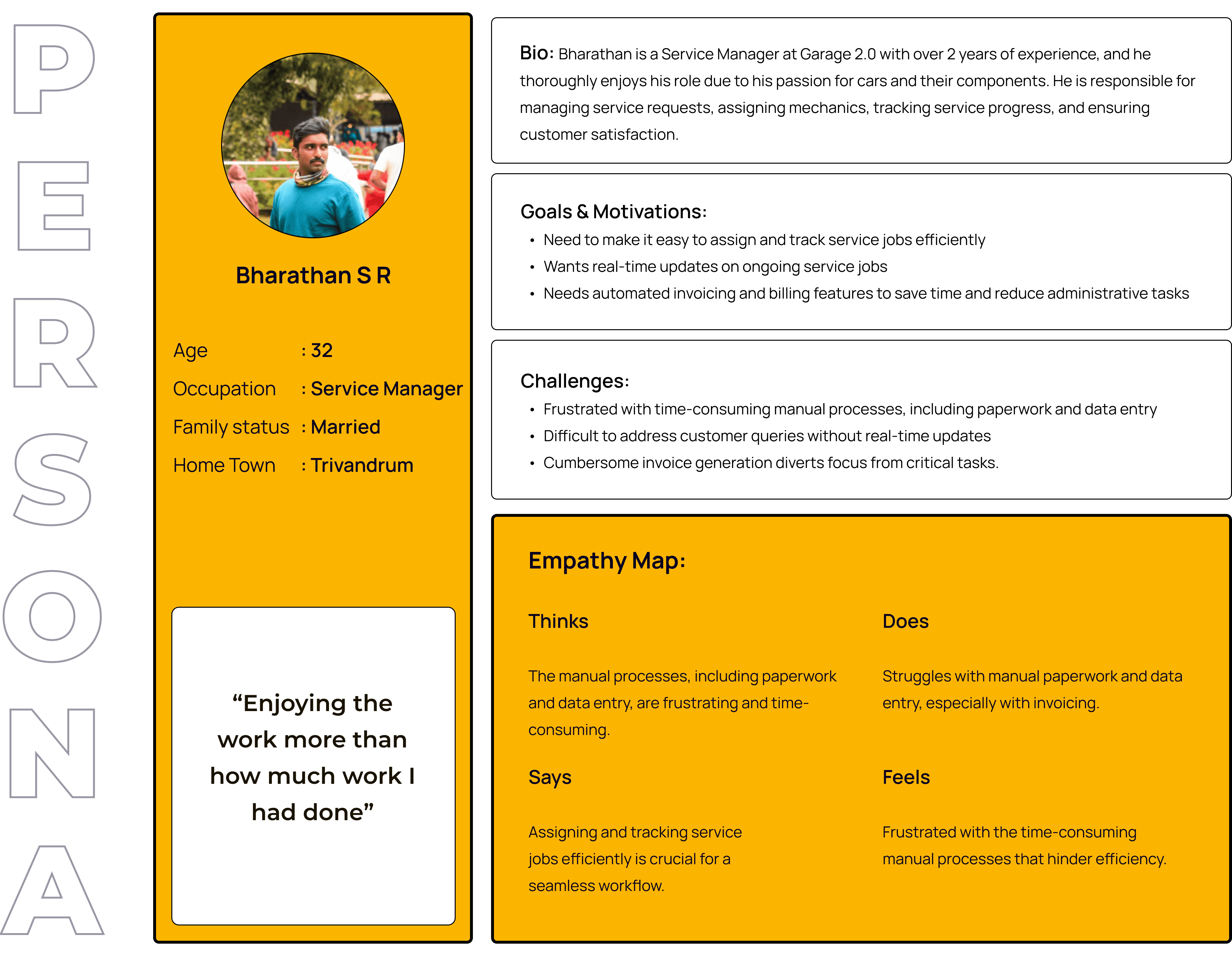
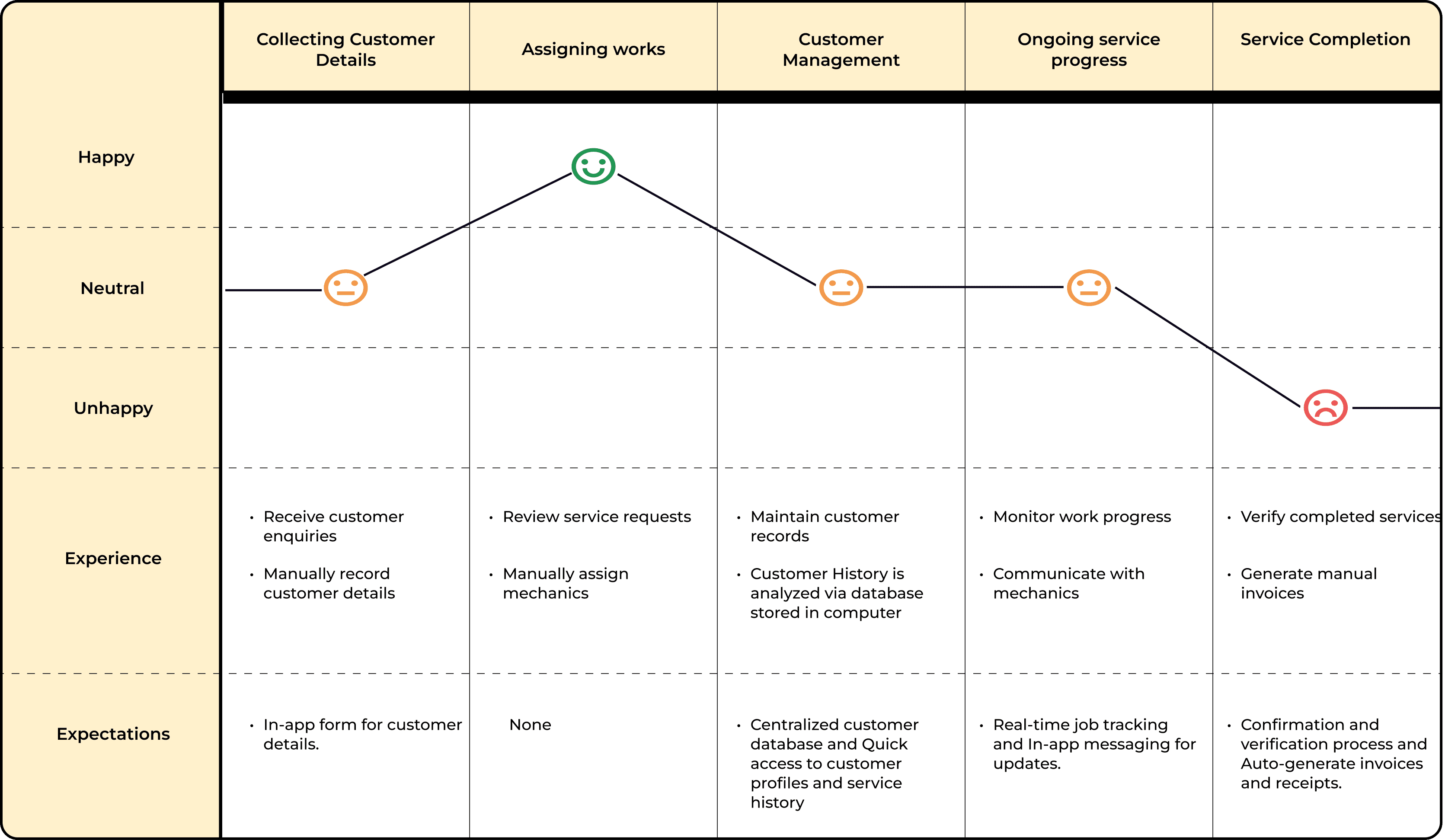
User Journey Map
User Journey Map
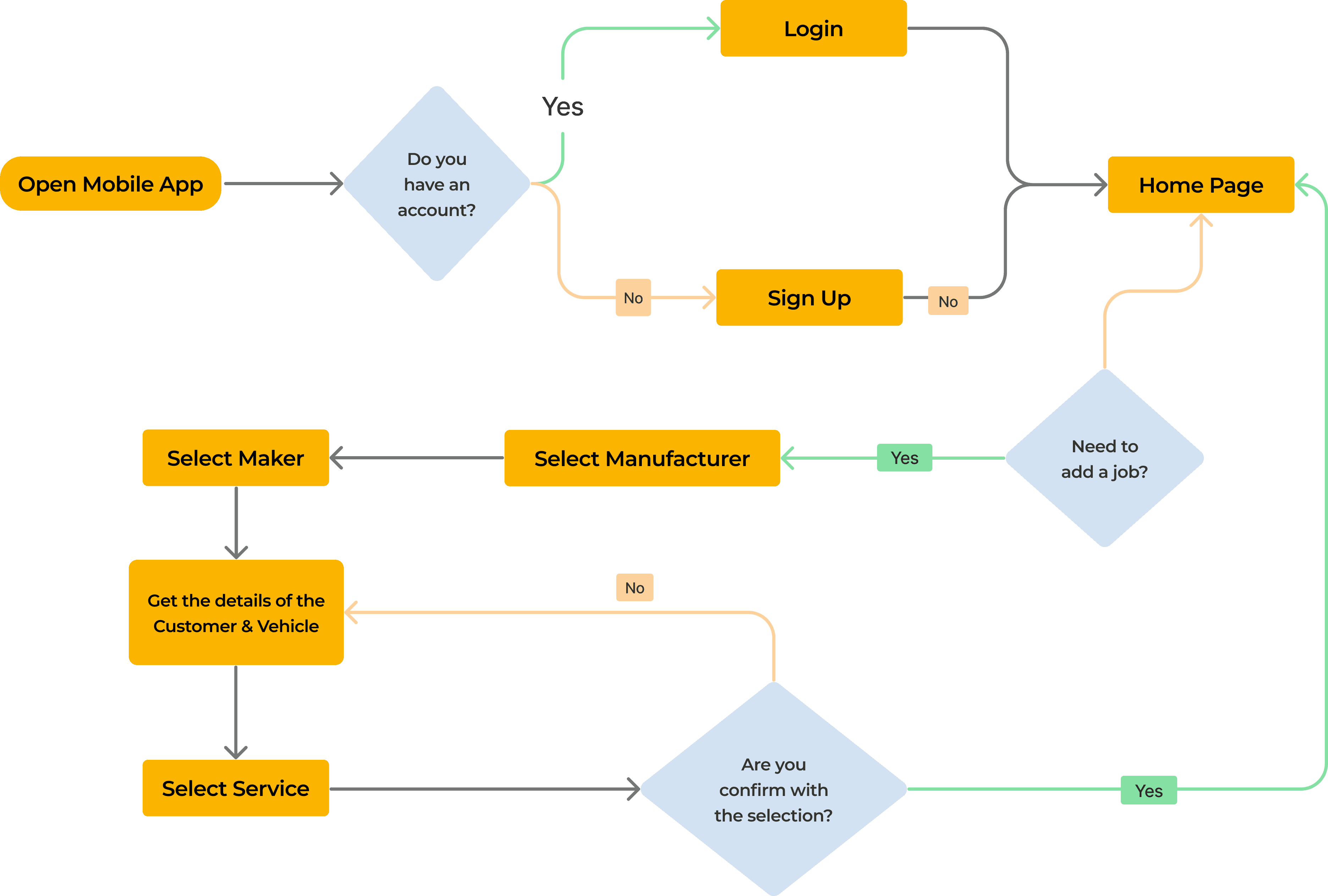
User Flow
User Flow
Starting Design
Starting Design
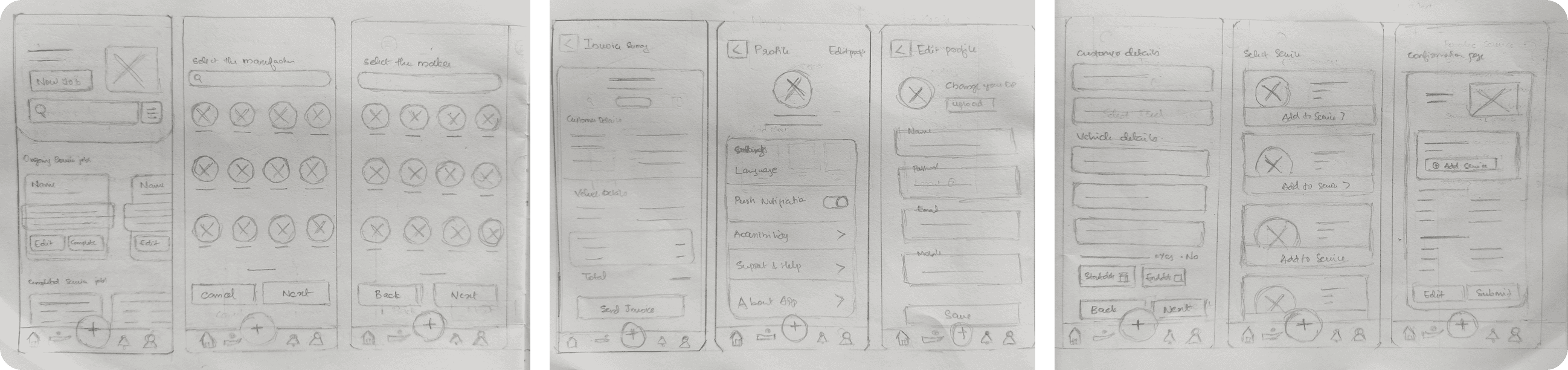
Wireframes
Wireframes
Visual Design
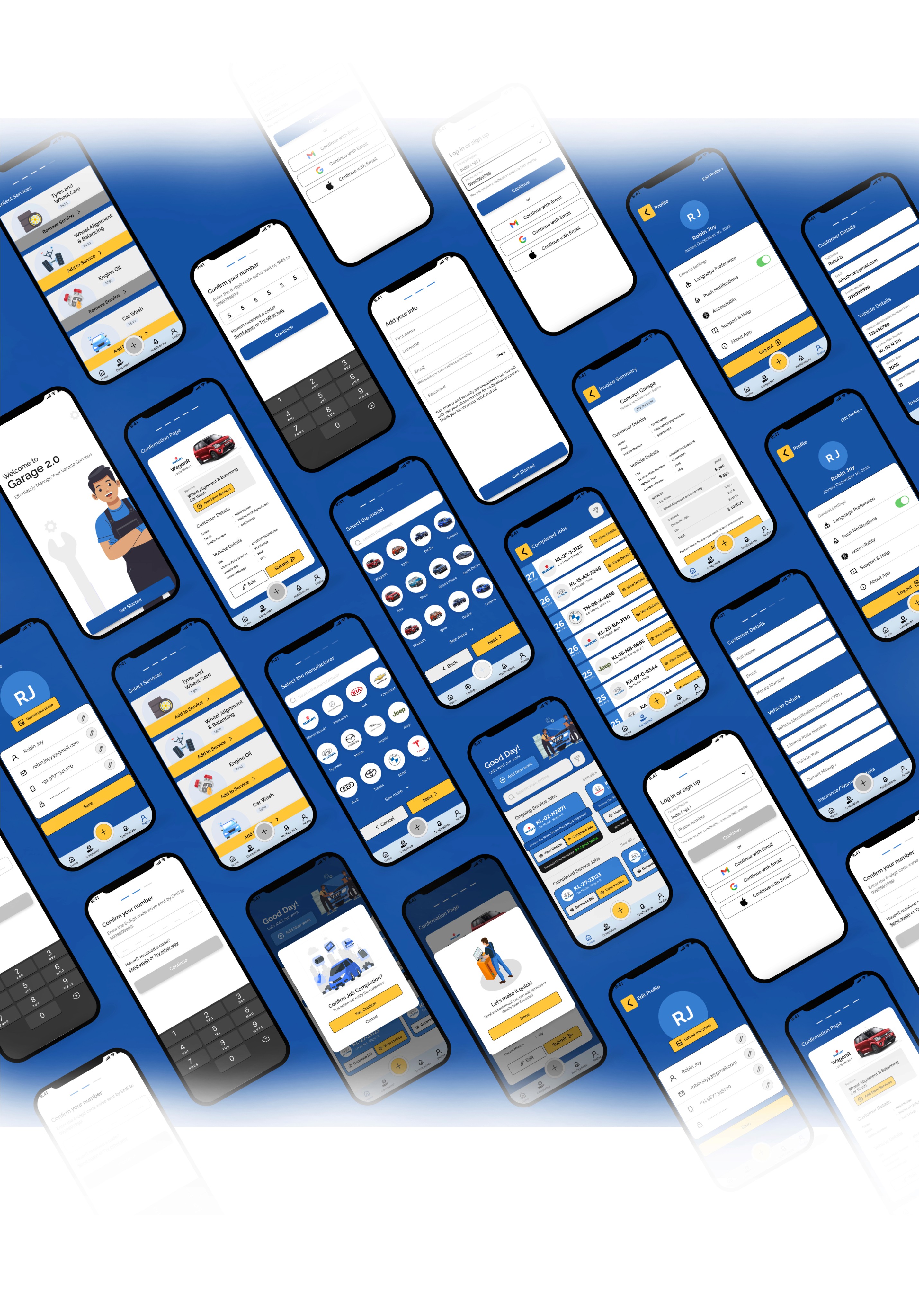
High Fidelity Wireframes
High Fidelity Wireframes
Onboarding Screen
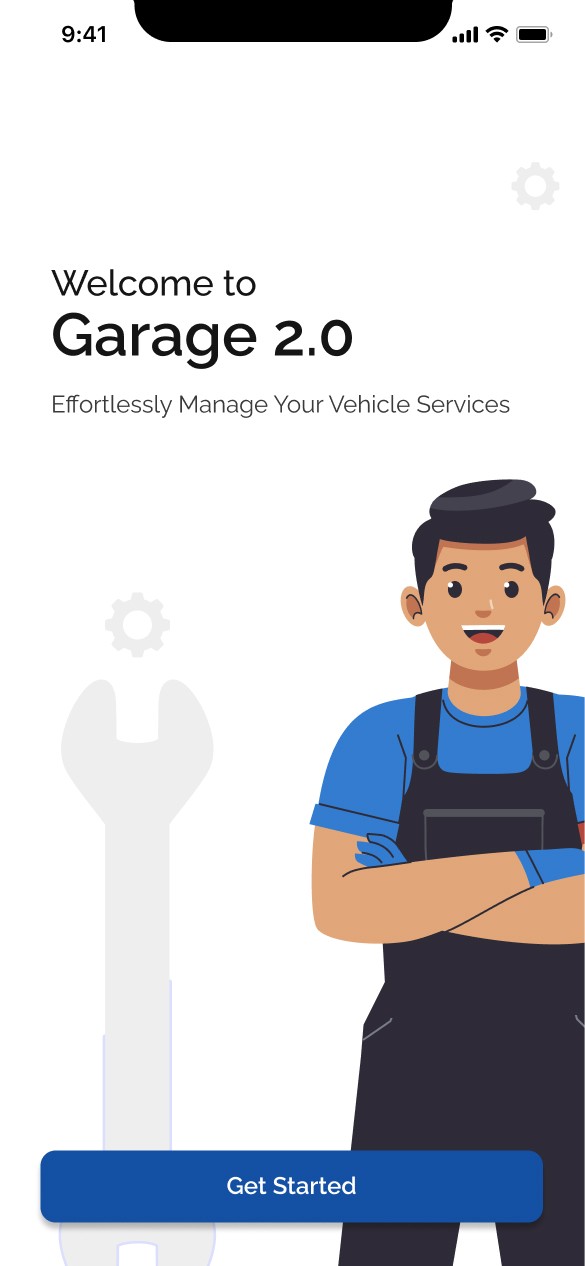
Onboarding Screen
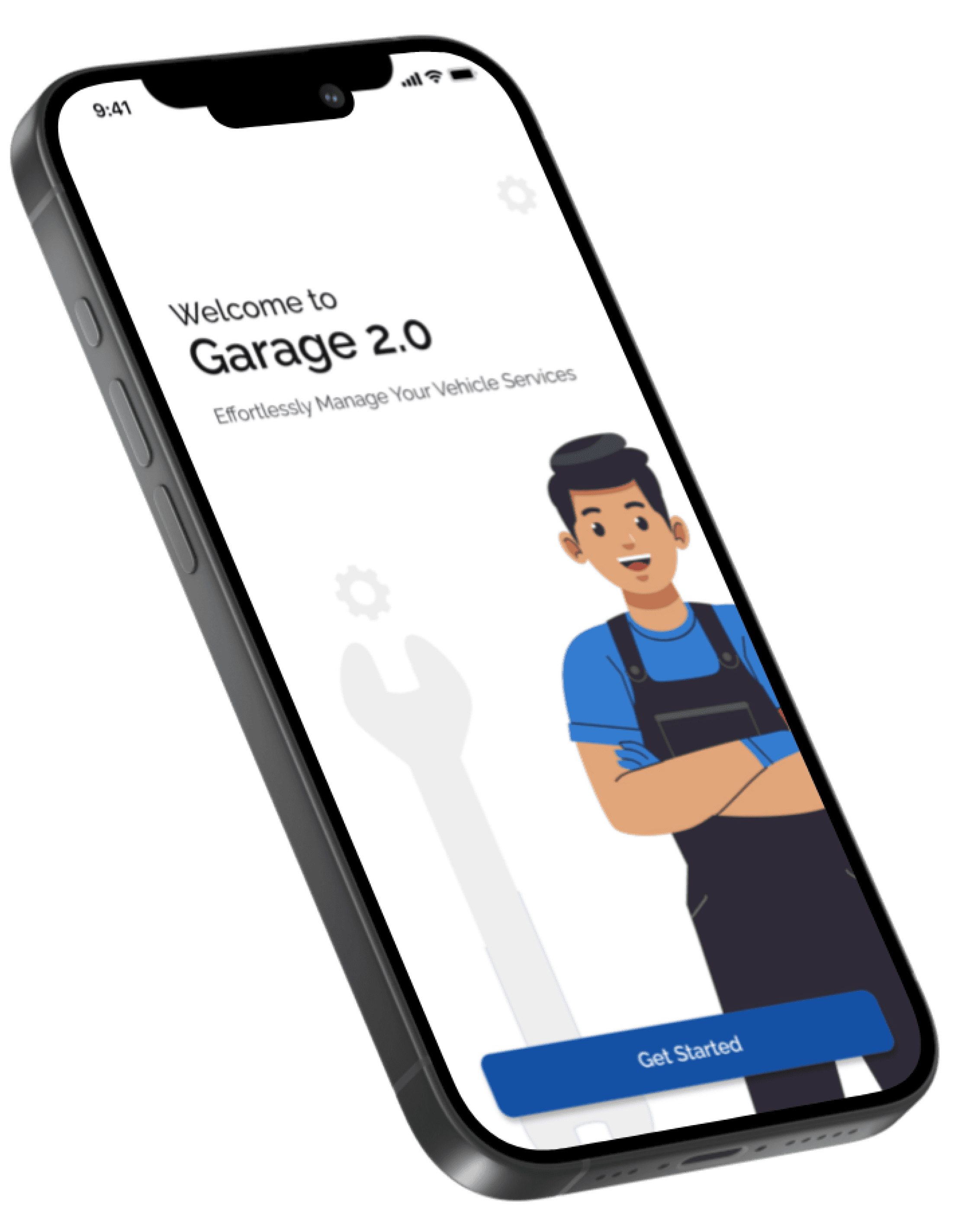
Users can find a single onboarding screen in the initial where they can start the journey of the app
Users can find a single onboarding screen in the initial where they can start the journey of the app
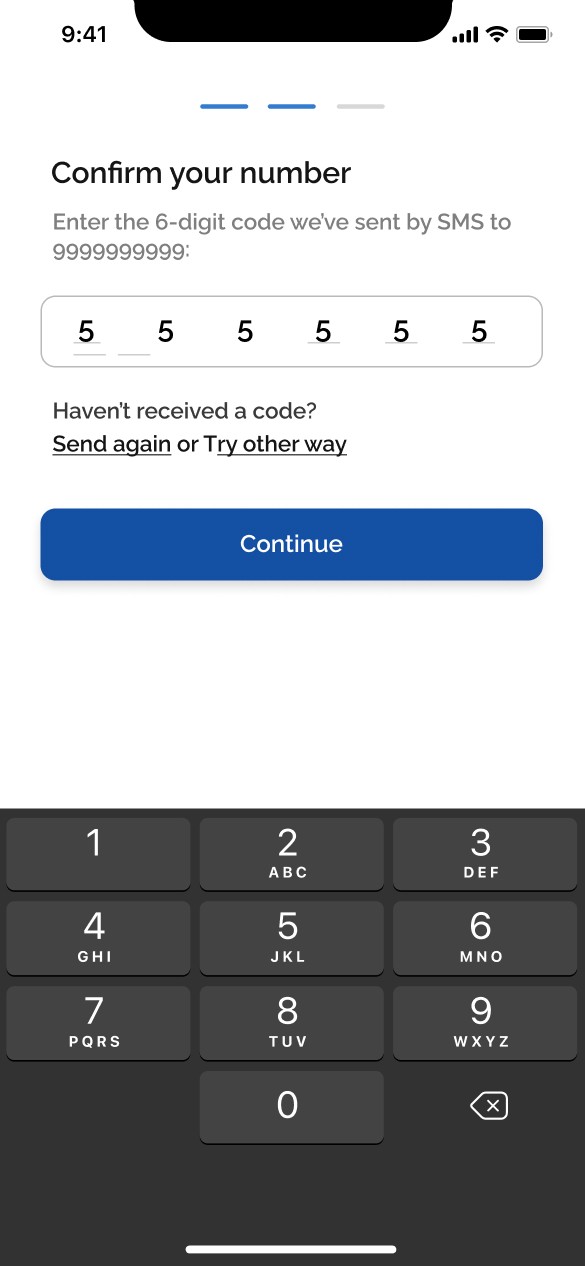
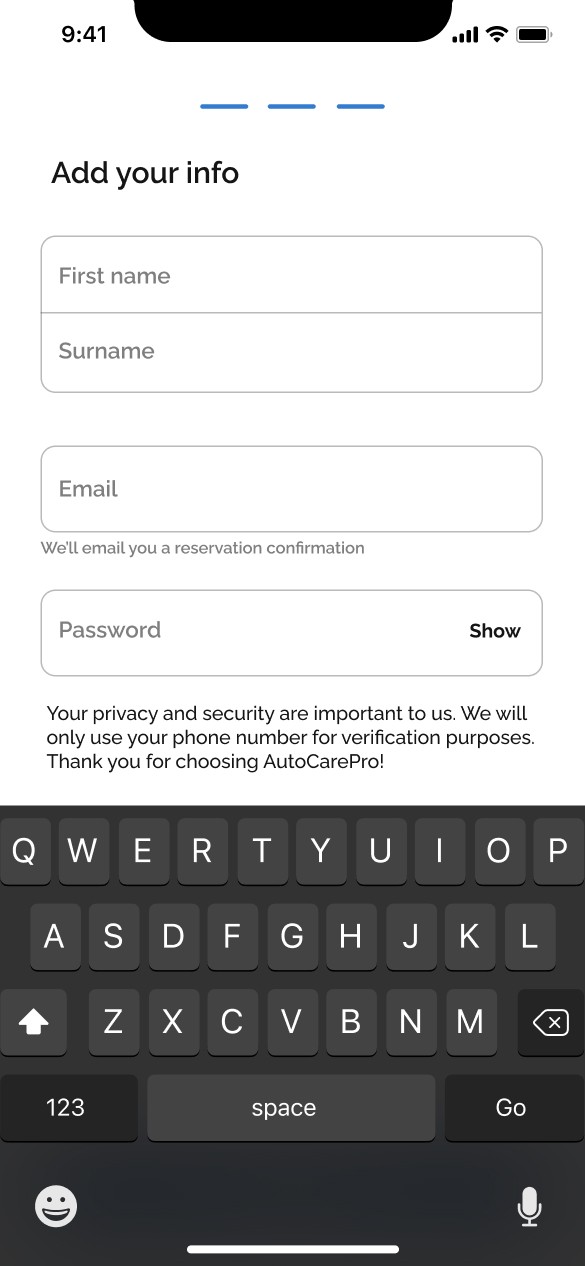
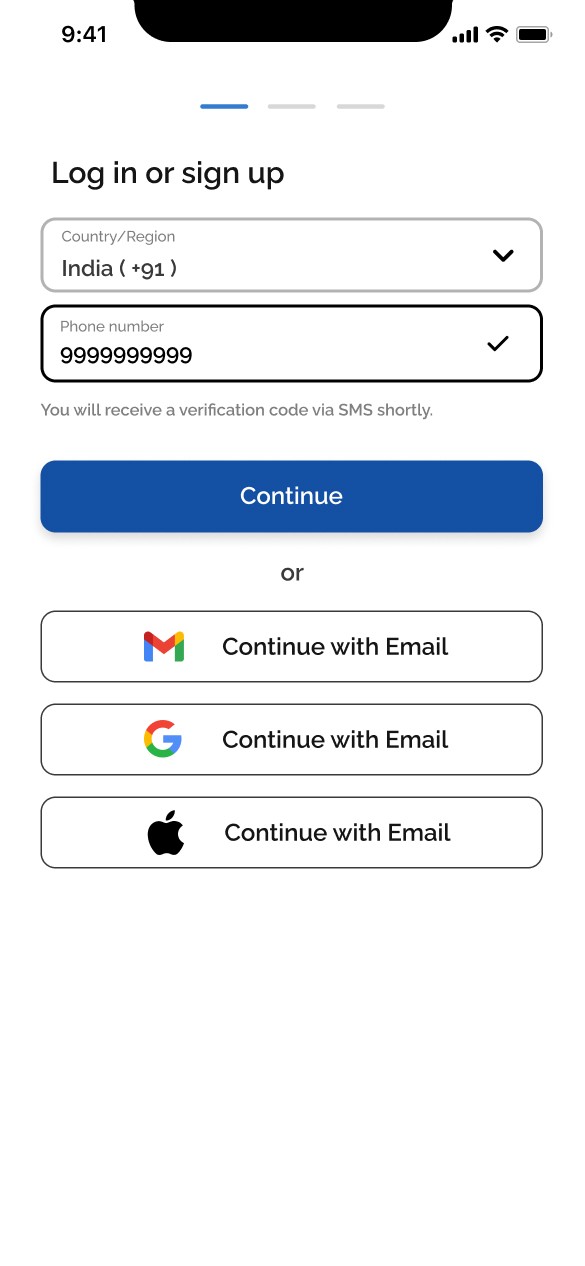
Login/Sign up screens
Login/Sign up screens
Users can login using their credentials or with their Email, Google or Apple account. If they don’t have an account they can signup using their new credentials
Users can login using their credentials or with their Email, Google or Apple account. If they don’t have an account they can signup using their new credentials
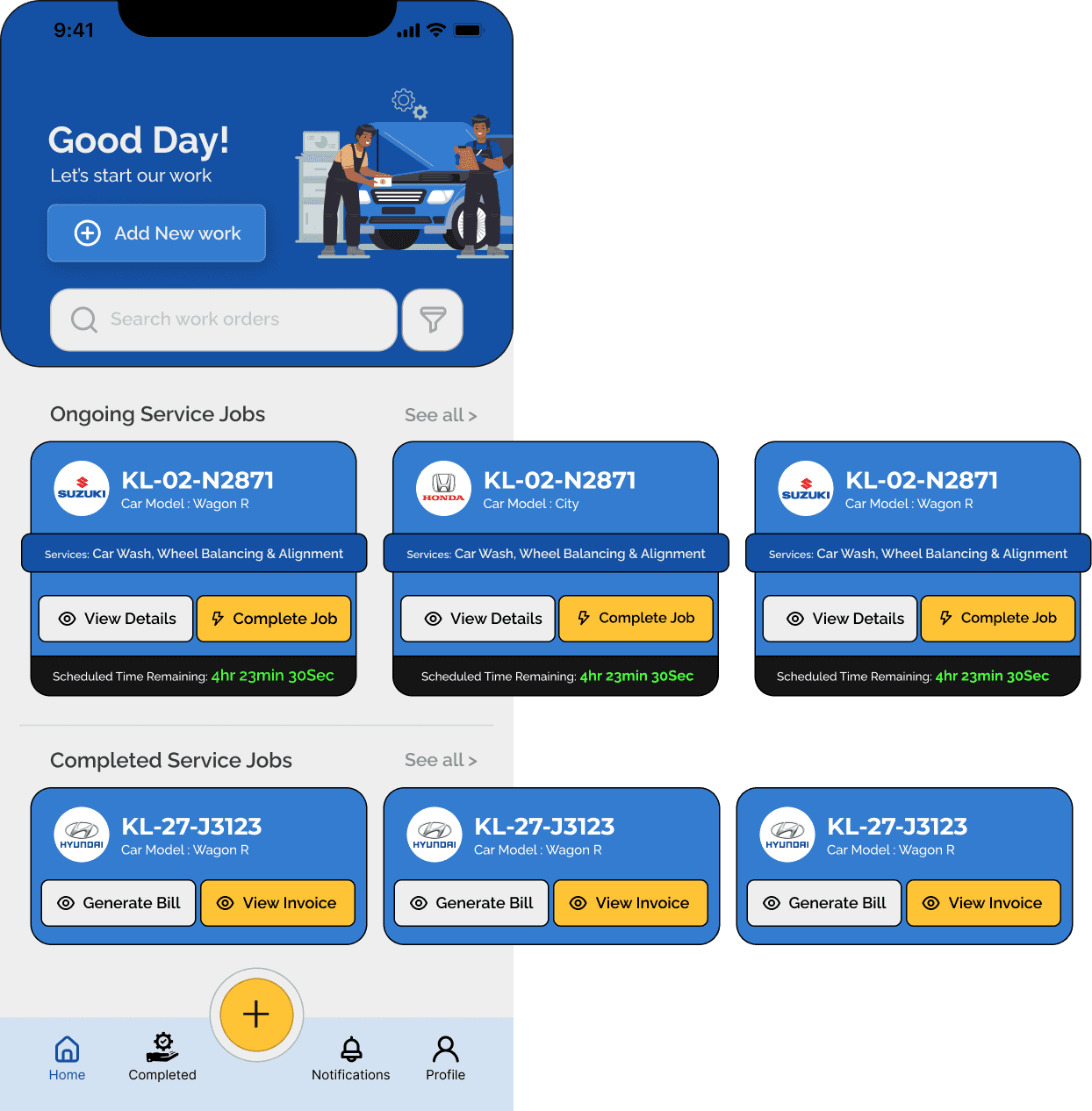
Home Screen
User will be directed to the homescreen after the login/sign up process
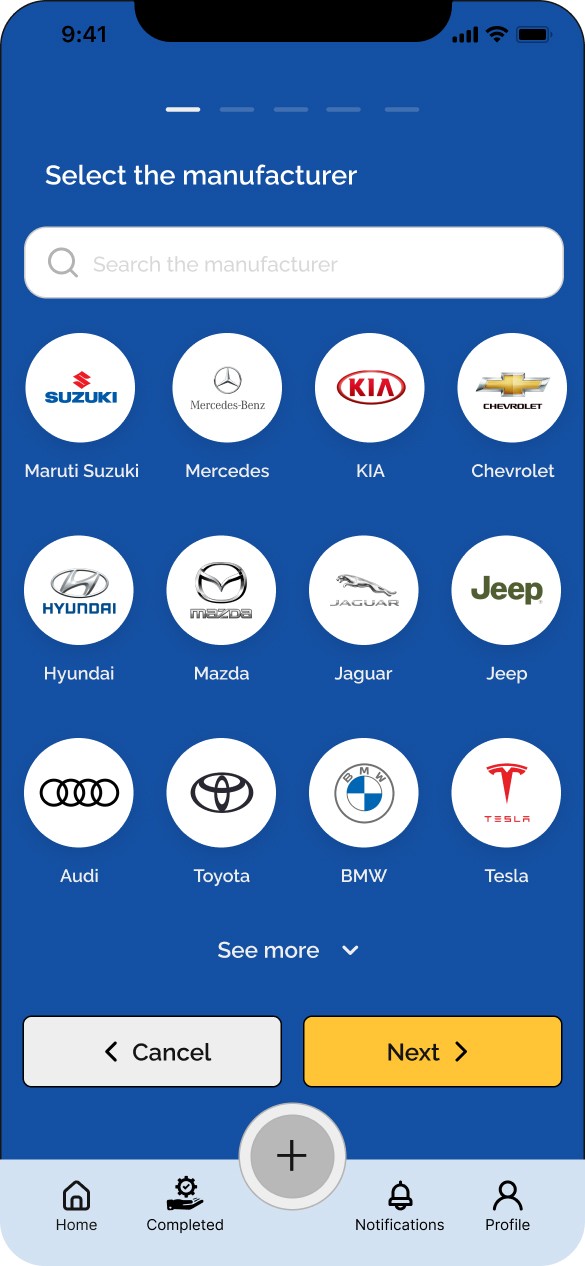
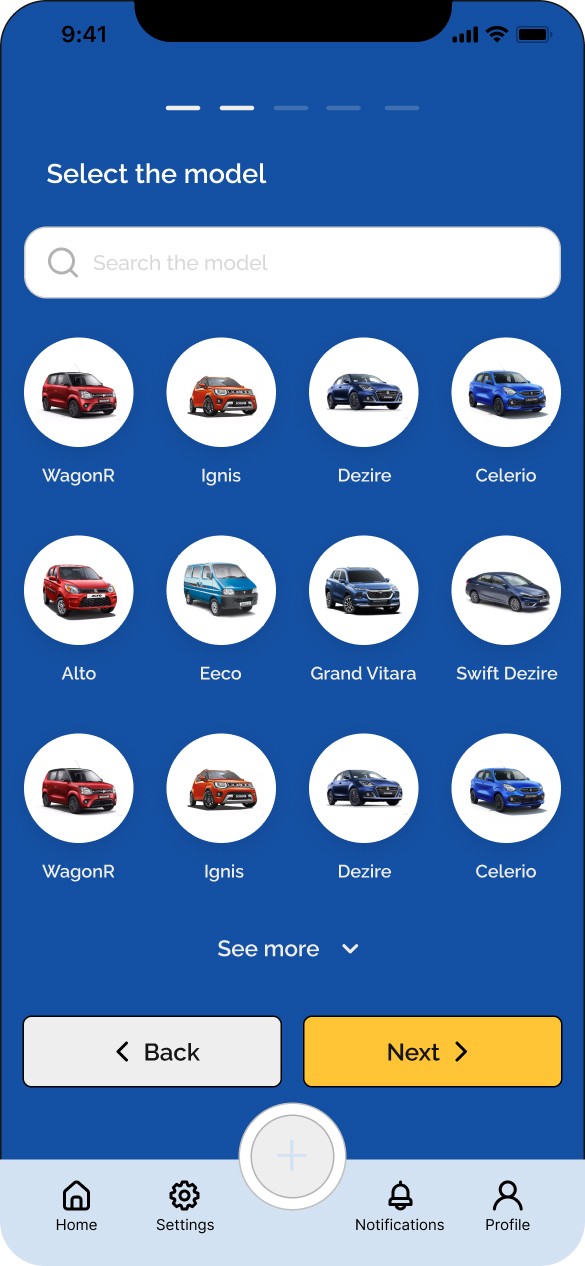
Selection Screens
User need to select the manufacturer and model of the car while creating a new job
User need to select the manufacturer and model of the car while creating a new job
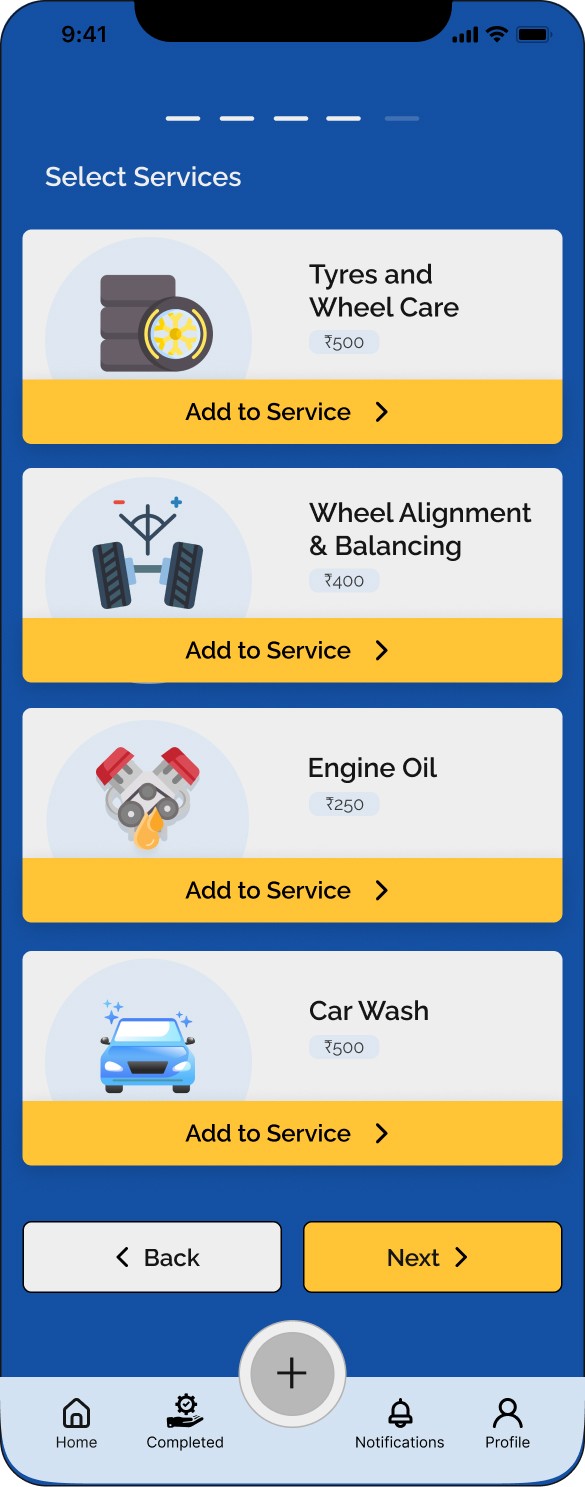
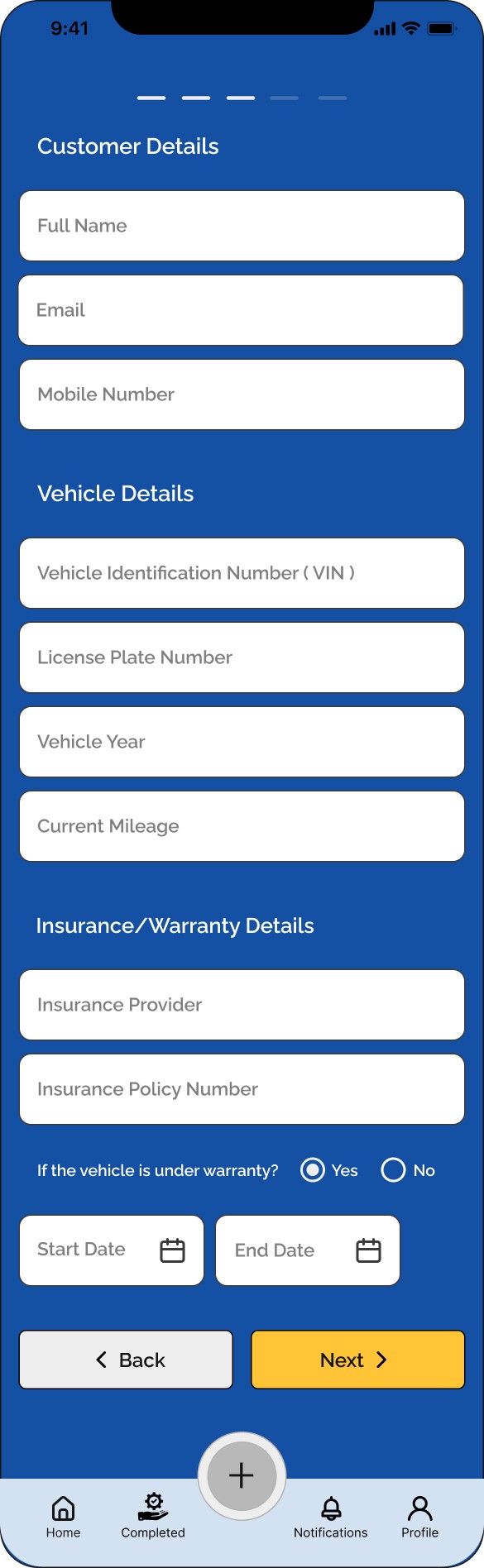
Details Screens
User need to acquire the details of the customer and their vehicle for job recording process
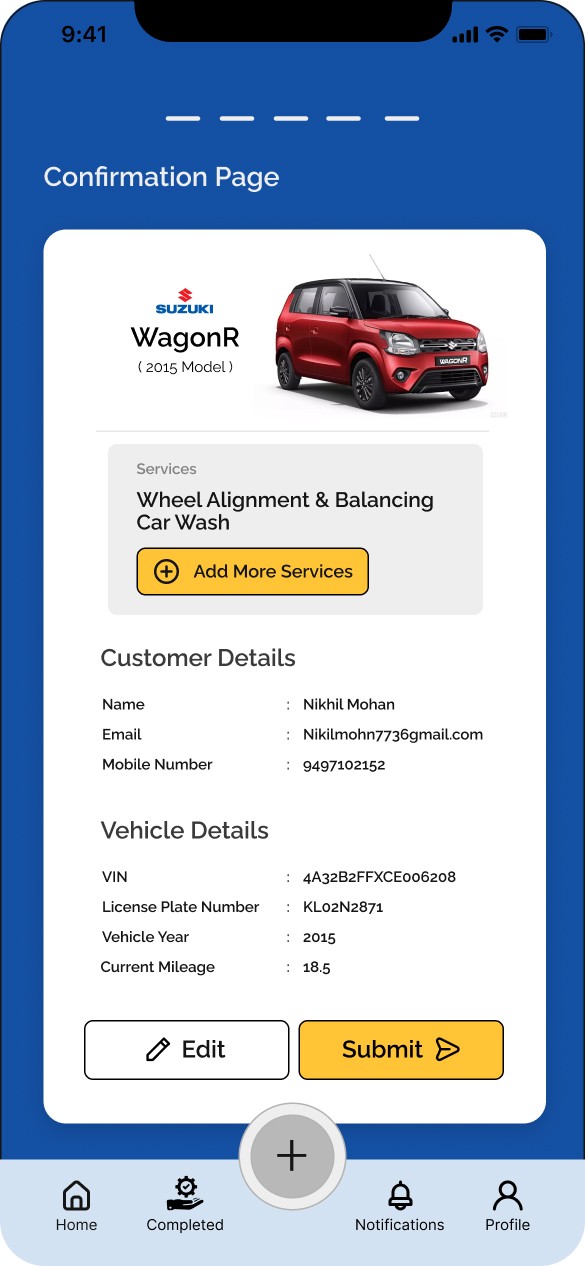
Confirmation Screen
User can verify the details and selection they decided and can re-edit from this confirmation screen
Social Enterprise Website
View Casestudy
Student Learning NGO Website
View Casestudy
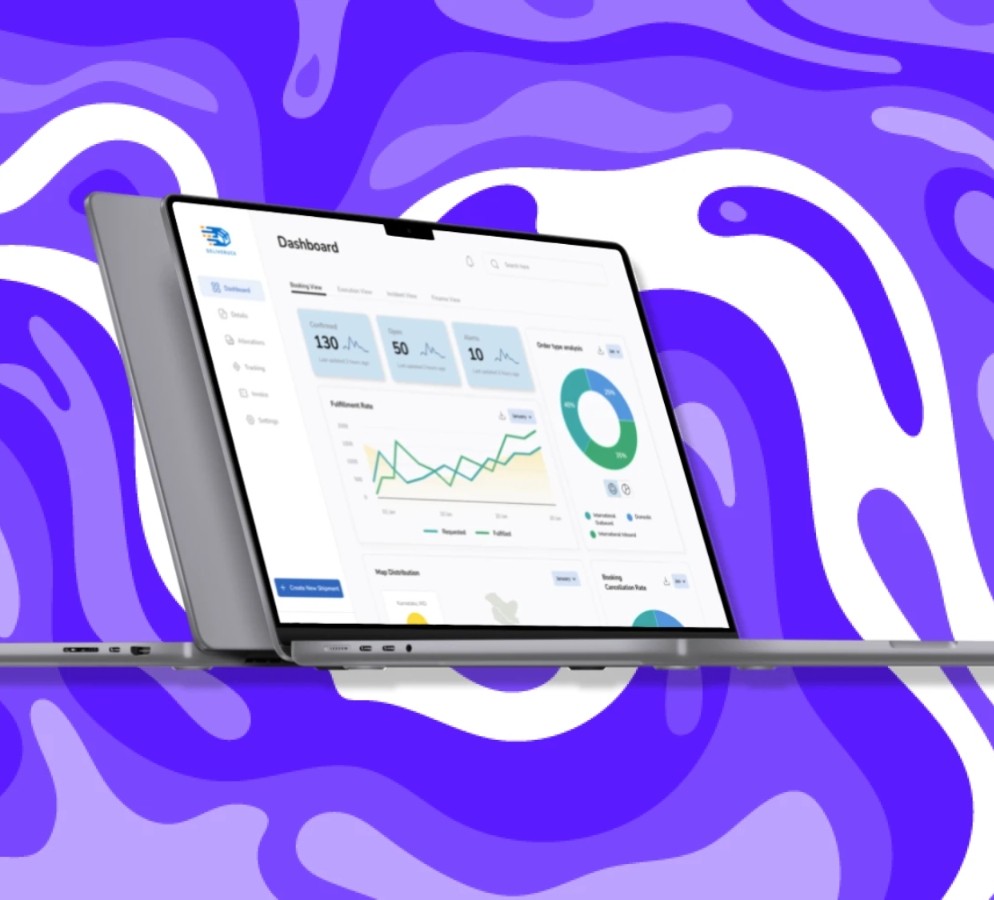
Supply Chain Management Dashboard
View Casestudy
Social Enterprise Responsive Website
View Casestudy
Student Learning NGO Website
View Casestudy
Supply Chain Management Dashboard
View Casestudy
Social Enterprise Responsive Website
View Casestudy
Student Learning NGO Website
View Casestudy
Supply Chain Management Dashboard
View Casestudy
Conclusion
Conclusion
What did I learn?
What did I learn?
Designing the app has been a challenging and satisfying journey. During the development of this project, I realized how important the research stage is. After in-depth research in the garage work process, the project became more relevant and valuable for users.
It was a challenge to conduct the user research and prepare the whole flow to create a complete prototype-friendly app with smooth and clear usability and most important of all, accessibility to the user .
I’ve learnt that the choice of colors, typography and components individually and as a group-impacts the users experience,
Designing the app has been a challenging and satisfying journey. During the development of this project, I realized how important the research stage is. After in-depth research in the garage work process, the project became more relevant and valuable for users.
It was a challenge to conduct the user research and prepare the whole flow to create a complete prototype-friendly app with smooth and clear usability and most important of all, accessibility to the user .
I’ve learnt that the choice of colors, typography and components individually and as a group-impacts the users experience,
What are the next steps?
What are the next steps?
I want to conduct more research to understand what will be required to improve the user experience much more simple in every steps.
I want to conduct more research to understand what will be required to improve the user experience much more simple in every steps.

Copyright © Nikhil Mohan 2023
Copyright © Nikhil Mohan 2023
Copyright © Nikhil Mohan 2023